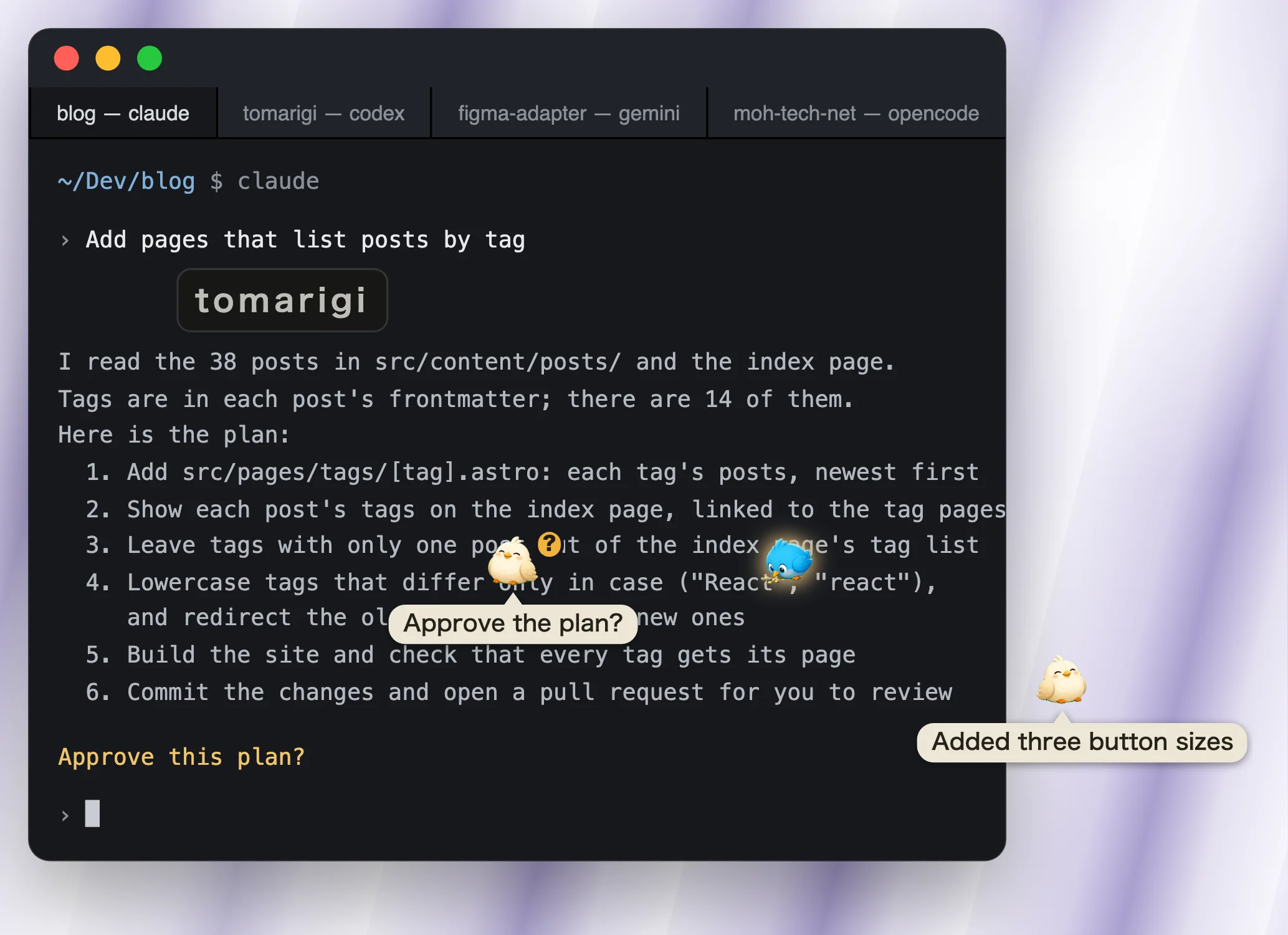
Each Claude Code, Codex, Gemini CLI, or other agent session becomes a bird perched at the edge of your screen. The bird shows whether its session is working, waiting for your reply, or done. Click it to jump to that session's terminal.
Pick the file for your computer from the list below.
How to install
Open Tomarigi-macOS.dmg
Drag tomarigi-desktop (the Tomarigi app) to the Applications folder
Launch it from the Applications folder
How to install
Run Tomarigi-Windows-setup.exe
If SmartScreen warns you, click "More info", then "Run anyway"The installer isn't code-signed, so this shows on first run
How to install (.deb)
Run this in a terminalsudo apt install ./Tomarigi-Linux.deb
The birds float over your terminal, out of your way, and show at a glance which session is waiting on you
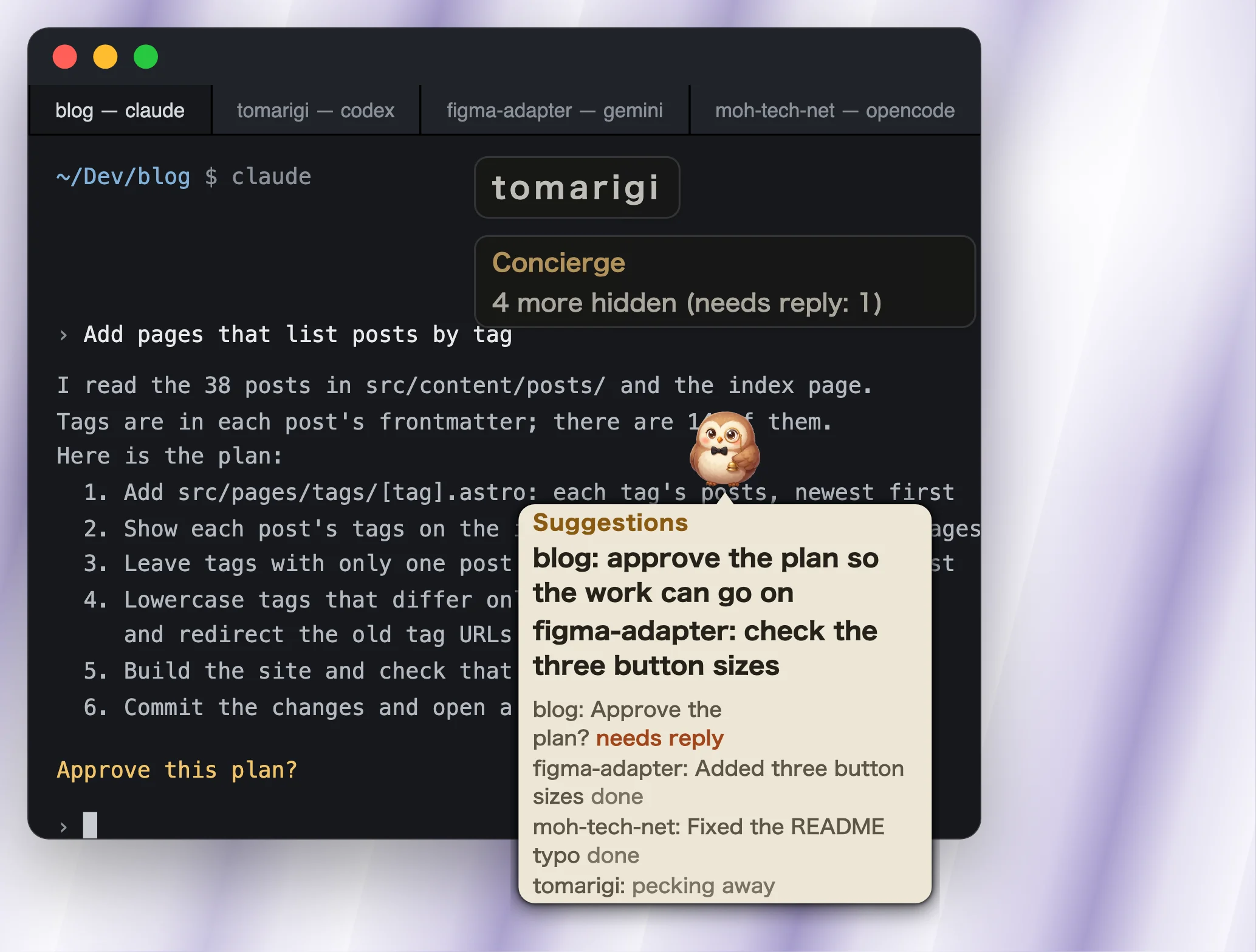
The Concierge
Concierge: the owl keeps what to do next in one place, with its suggestions on top
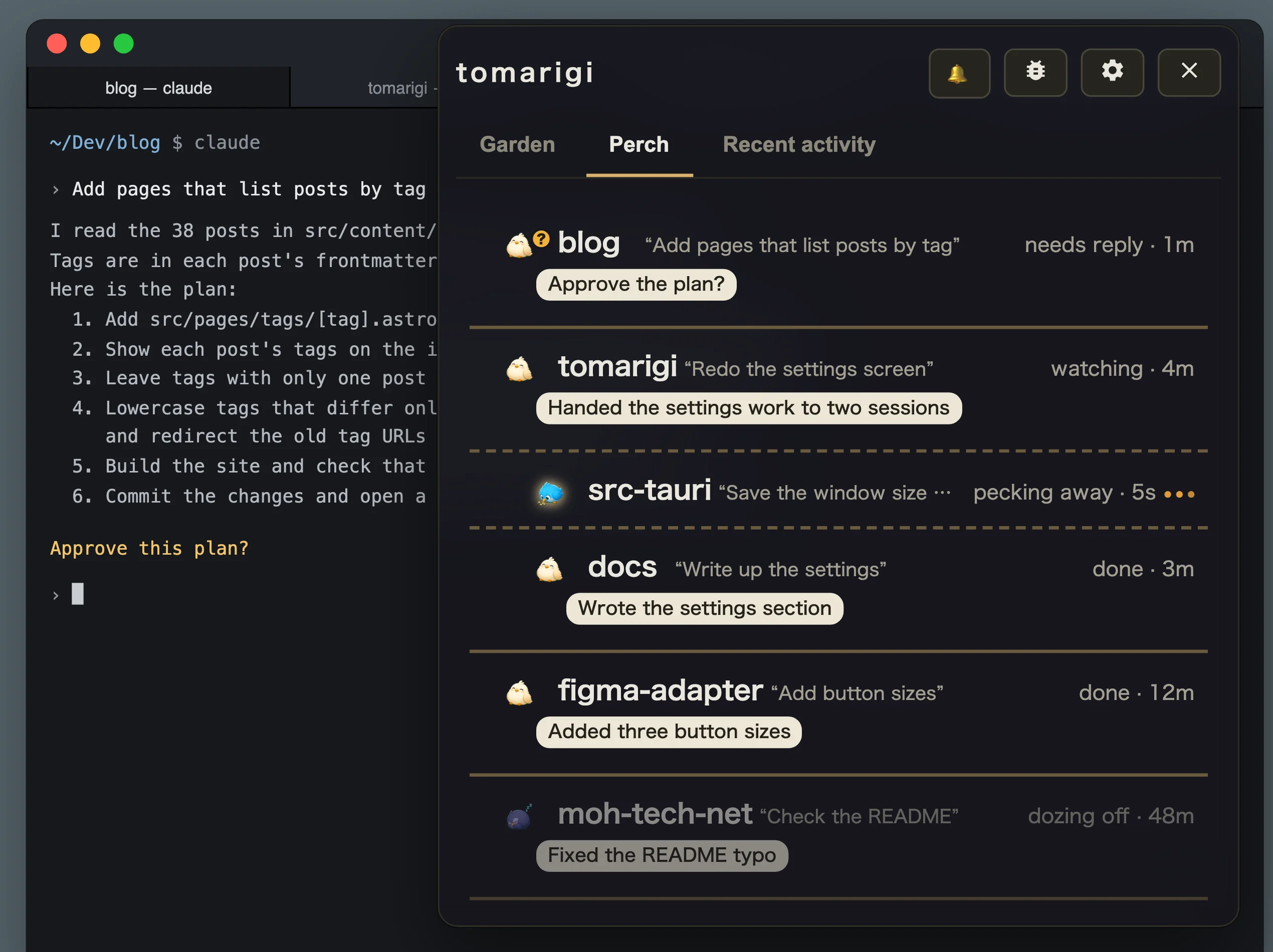
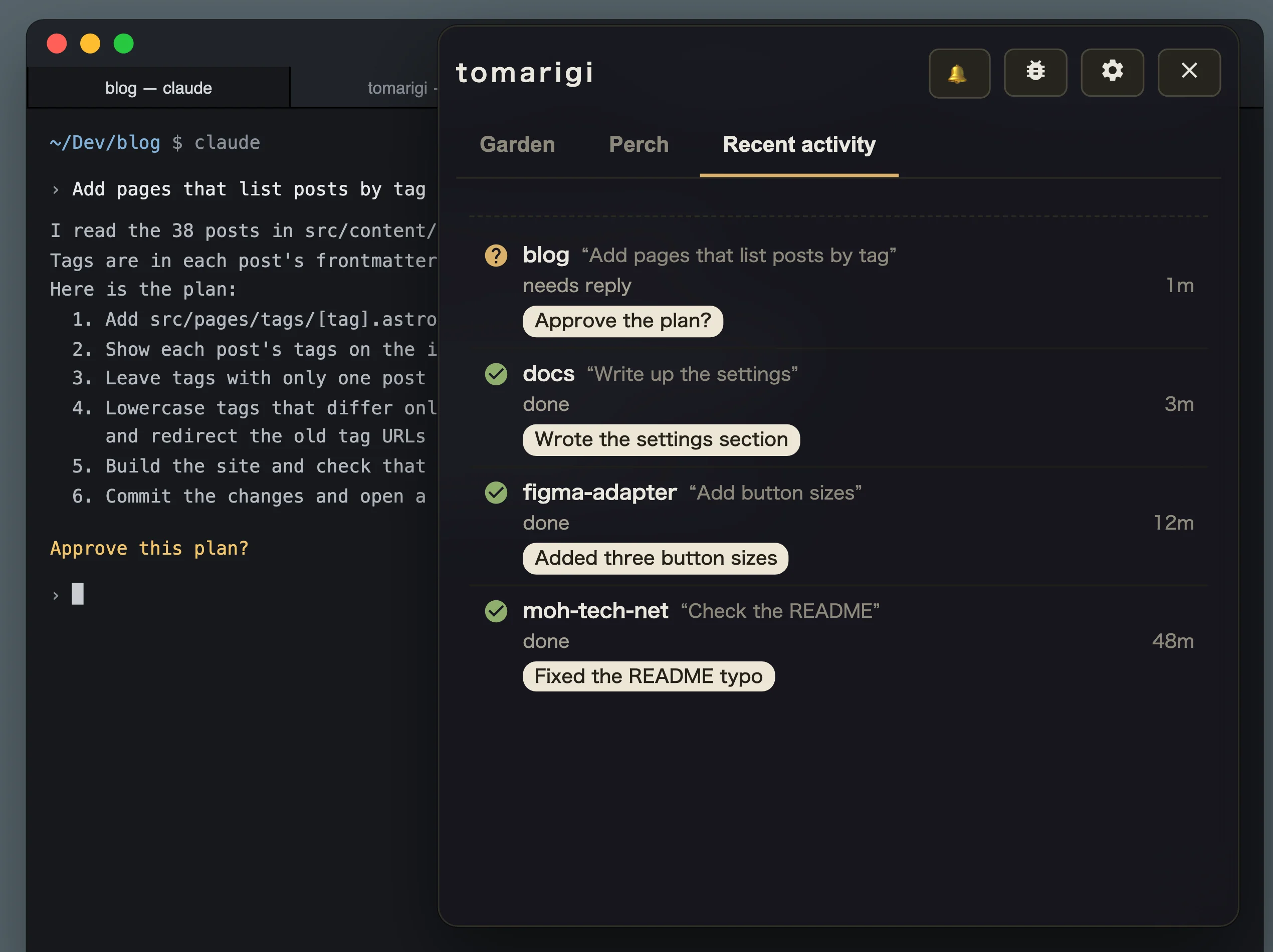
The session list and history
Perch: one list with each session's state and summary. Work handed to other sessions is indented belowRecent activity: what finished or started waiting, newest first, so you can find what you missed
Features that use your own API key
Add an OpenAI or Anthropic API key in settings to turn on these features (BYOK). Instead of a key, you can also use a local model on an OpenAI-compatible server such as Ollama or LM Studio.
The Concierge: looks at all your sessions together and keeps what to do next in one place
Summary bubbles: when a turn ends, a speech bubble on its bird sums it up
The “?” for questions: when the agent asks you a question in plain text, its bird gets a “?”
The anger mark: when your messages in that turn are abusive toward the AI, the bird gets an anger mark
The summary, the “?”, and the anger mark come from one request per finished turn, which sends the last reply and your own messages of that turn.
The Concierge is a separate request. It sends each session's name, state, summary bubble, and question text, and the last 20 events (a session starting to need a reply, your reply, a finished turn, and so on). For a finished session it also sends the last 300 characters of its last reply.
Keys are saved in your OS's store (the macOS Keychain, Windows Credential Manager, or GNOME Keyring or KWallet on Linux) and are never shown in settings. On Linux, keys can't be saved unless GNOME Keyring or KWallet is running.
Without a key, the birds, their chirps, and readout all still work. On Linux systems without a speech engine, readout is off.
Jump to the editor's terminal. Works in Cursor too (.vsix)How to install
Install it with "Extensions: Install from VSIX..." in the command palette, or with code --install-extension <file> or cursor --install-extension <file>. The first time you jump, the editor asks whether the extension may open the URI. Check "Do not ask me again for this extension".
The Windows and Linux builds haven't been checked on real machines yet.
Why Tomarigi?
Other tools also watch AI agents, or take work off your hands. Tomarigi only watches, from the outside, the agent CLIs already running in your own terminals. Here it is next to tools that work in other ways.
Your computer. Reads the session files of 7 agents (Claude Code, Codex, Qwen Code, GitHub Copilot CLI, Gemini CLI, OpenCode, Cursor CLI) and changes nothing on the agent side
A bird for each session in an always-on-top window. macOS, Windows, Linux (Windows and Linux not yet checked on real machines)
Click a bird to jump to its terminal pane. When a reply ends, a speech bubble sums it up (your own OpenAI or Anthropic key, or a local model)
Your computer. Claude Code's background sessions (sessions open in other terminals show up once moved with /bg). The sessions run under a separate supervisor process and keep going after you close the terminal, until you stop them
A list inside the terminal (a Claude Code feature, in research preview)
Send replies and start new sessions from the list. A one-line summary on each row
Part of Claude Code. Uses your subscription's usage
The cloud. A dot works on its own computer and browser and asks you when a decision needs you. It can also create Codex tasks on a connected computer and continue local Codex tasks
ChatGPT's mobile and desktop apps and desktop browsers. Also reachable from Slack, Teams, and calls
Keeps working while your computer is off
ChatGPT Pro (outside the EEA, UK, and Switzerland), Business Premium, Enterprise (enabled by an admin)
The cloud. Bots with names and jobs work on computers in Cursor's cloud, with a browser, filesystem, and terminal
Desktop app (macOS, Windows, Linux) and mobile (iPhone, iPad, Android)
Keeps working while your laptop is closed
Included with paid individual Cursor plans and Cursor Teams. SuperGrok can be linked
Some tools start the agents themselves and run them side by side in separate workspaces. claude-squad and CCManager split git worktrees inside the terminal, and Conductor, a Mac app, takes you through reviewing and merging the changes. Tomarigi neither starts nor manages agents; it only watches sessions that are already running.
Tomarigi suits you if you use several agent CLIs in your own terminals as usual and want to keep an eye on them from the side. It runs on Windows and Linux too, and it's free. If you want to approve or reply from the overlay, see your quota, or hand the work to the cloud and close your laptop, one of the other tools above fits better.
When the author used claude agents, the background sessions stayed around until stopped and piled up like zombies, which was not a good fit. Tomarigi only reads the sessions running in your own terminals and keeps no processes running behind them.
As of October 2026, this lists only what each tool's official page says. Things a page doesn't mention (such as whether it's open source) are left out.
Updates
The app updates itself. It checks for a new version at launch and every 6 hours after. When one is out, "Update to v<version>" appears in the menu bar menu and in settings (Updates). Click it to download, install, and restart.
Versions before v0.9.0 can't update themselves. Replace those once by hand with a download from this page.
Jump from a bird to its terminal
In Ghostty, iTerm2, Terminal.app, and WezTerm, clicking a bird jumps to the pane (tab or split) where its session runs. This works for sessions inside tmux too. macOS asks once per terminal app for permission to control it. Other terminals, such as Warp and Alacritty, are only brought to the front.
kitty
Add these two lines to kitty.conf and restart kitty. Without them, kitty is only brought to the front.
To jump to an integrated terminal tab, install the "VS Code extension" (.vsix) from the list above; its "How to install" has the steps. Without the extension, the editor is only brought to the front.
Windows and Linux
Clicking a bird brings the terminal window to the front but can't pick its tab or split (on Linux, a session inside tmux still gets its pane). Windows Terminal comes forward on whatever tab it shows.
On a Wayland session, only terminals running through Xwayland can be brought forward.
On Linux, the API keys for the summary AI (OpenAI, Anthropic) are saved to GNOME Keyring or KWallet; without one running, keys can't be saved.
On Linux, clicking the tray icon opens its menu, which has "Show / Hide".
On Linux, the background isn't blurred, and whether the window stays on top depends on the window manager.
Read-aloud needs a speech engine, which some Linux systems don't have.